

“What does archive mean?” It means storing important files, documents, or data safely so you can access them later when needed.
You archive information to protect it, organize it, and keep it secure without cluttering your active workspace.
Whether you archive emails, chats, or historical records, the goal remains the same long term storage and preservation.
Understanding archive meaning helps you manage your data smarter and avoid losing valuable information.
Archive Meaning
Archives play a crucial role in keeping important information safe over long periods of time, whether in physical form or digital systems. In today’s digital world, the term “archive” is commonly used in apps, emails, and cloud storage where data needs to be stored without being permanently deleted. Understanding archive meaning helps users manage files efficiently while keeping valuable information secure for future access.
The archive meaning refers to a place or system where you store records, documents, files, or data for future reference. These materials usually aren’t needed every day, but they remain important enough to preserve.
In simple words, an archive is a secure storage location designed for long-term storage and information preservation.
You can think of an archive like a safe storage box. For example, imagine storing old family photos in a box. You don’t use them daily, but you want to keep them safe. That’s exactly how archiving works in both physical and digital environments.
Key facts about archive meaning:
- An archive stores inactive but valuable information
- It ensures data preservation
- It protects files from accidental deletion
- It helps organize and manage information storage
Examples of archives:
- Archived emails in Gmail
- Archived chats in WhatsApp
- Historical records in a government archive
- Archived files on your computer
What Is an Archive? Full Technical Definition
Technically, an archive is a structured repository that stores data, documents, or records for long-term retention and future use.
In computing and information management, an archive acts as a specialized storage system designed to preserve data safely while keeping it accessible when needed.
Technical characteristics of an archive:
- Stores inactive data
- Uses secure digital storage or physical storage
- Preserves information without modifying it
- Allows retrieval when required
Archive in Information Systems
In technology, an archive functions as a data repository. It stores information that isn’t actively used but remains important.
Examples include:
- Email archive systems
- Cloud archive storage
- Digital archive databases
These systems ensure secure storage and reduce system clutter.
What Does Archive Mean? Complete Guide for Social Media, Email & Games
What Does Archive Mean in Instagram
On Instagram, Archive means hiding a post or story from your public profile without deleting it.
When you archive:
- The post becomes invisible to followers.
- Likes and comments are saved.
- You can restore it anytime.
Instagram also automatically archives Stories after 24 hours in the Story Archive section, visible only to you.
What Does Archive Mean in WhatsApp
In WhatsApp, Archive hides a chat from your main chat list without deleting it.
When you archive a chat:
- The conversation moves to the “Archived” folder.
- You still receive messages (unless muted).
- Chat history remains safe.
- You can unarchive anytime.
It’s mainly used to organize chats and reduce inbox clutter.
What Does Archive Mean on Gmail
In Gmail, Archive removes an email from your inbox but does not delete it.
When you archive an email:
- It disappears from the Inbox.
- It stays in “All Mail.”
- You can search and find it later.
- Replies bring it back to Inbox.
Archive is useful when you want a clean inbox but don’t want to lose important emails.
What Does Archive Mean in Text
In general text or messaging, archive means:
- To store something safely for future reference.
- To keep records without displaying them publicly.
- To organize old conversations, files, or data.
Example:
“I archived the old messages” means the messages are saved but not actively visible.
Archive Pronunciation
Archive is pronounced as:
/ˈɑːr-kaɪv/
“AR-kive”
The first syllable sounds like “are,” and the second rhymes with “five.”
What Does Archive Mean in Email
In email services, archive means:
- Removing emails from the inbox.
- Keeping them stored safely.
- Avoiding permanent deletion.
Unlike deleting:
- Archived emails can always be searched and restored.
- Deleted emails may be permanently removed after a certain time.
What Does Archive Mean in Fortnite
In Fortnite, Archive usually refers to:
- Hiding cosmetic items (skins, back blings, emotes) from your locker.
- Organizing your inventory.
- Reducing clutter in your item list.
Archived items are not deleted — they are just hidden from the main view.
What Does Archive Mean in Roblox
In Roblox, Archive commonly means:
- Removing a game or asset from public view.
- Storing creations without deleting them.
- Keeping older projects saved privately.
Developers often archive games they no longer want publicly accessible but may reuse later.
Archive as a Noun vs Archive as a Verb
The word archive has two main uses: as a noun and as a verb.
Archive as a Noun
As a noun, an archive refers to a place or system where records are stored.
Examples:
- A national archive storing historical documents
- A digital archive storing files
- A library archive preserving manuscripts
Examples in sentences:
- The museum keeps rare manuscripts in its archive.
- The company maintains a digital archive of customer records.
Archive as a Verb
As a verb, archive means to store data safely for future use.
Examples:
- Archive emails to clean your inbox
- Archive chats to organize messages
- Archive files to free up storage space
Example sentence:
- She archived old documents to keep them safe.
Why Archiving Is Important
Archiving plays a critical role in data preservation and information management.
Without archiving, valuable data could be lost, deleted, or damaged.
Major purposes of archiving:
Long-term storage
- Keeps data safe for years or decades
Data protection
- Prevents accidental loss or deletion
Storage optimization
- Frees up active storage space
Historical preservation
- Protects historical and research records
Legal compliance
- Many organizations must archive records for legal reasons
Backup support
- Provides an extra layer of data security
Types of Archives
Archives exist in several forms depending on their purpose.
Physical Archives
Physical archives store real, tangible items.
Examples:
- Paper documents
- Government records
- Historical manuscripts
- Library collections
These archives preserve information for historical and research purposes.
Digital Archives
A digital archive stores electronic data.
Examples include:
- Files and folders
- Databases
- Cloud storage archives
- Digital records
Digital archiving is the most common form today.
Email Archives
An email archive stores emails safely without deleting them.
Examples:
- Gmail archive folder
- Outlook archive system
- Corporate email archiving systems
Archived emails remain accessible but disappear from the main inbox.
Chat and Message Archives
Chat applications allow you to archive conversations.
Examples:
- WhatsApp archived chats
- Messenger archived conversations
- SMS archives
This helps organize communication without losing messages.
File and System Archives
Computers use archives to store files efficiently.
Examples:
- ZIP archive files
- Archived folders
- Backup archives
These archives reduce clutter and improve system performance.
Archive Meaning in Computing and Technology

In computing, an archive refers to stored digital data that is preserved but not actively used.
Computers use archive storage systems to manage files efficiently.
Archive in computing includes:
- Archived files
- Archived emails
- Archived databases
- Archived backups
Example:
When you archive a file, the system moves it to a secure storage location.
This helps maintain system speed and organization.
Real World Examples of Archive
Understanding archive meaning becomes easier with real examples.
Email Archive Example
When you archive an email, it leaves your inbox but remains saved.
You can find it later in the archive folder.
Phone Archive Example
When you archive chats in WhatsApp:
- Chats disappear from main screen
- Chats remain saved
- Chats can be restored anytime
Library Archive Example
Libraries archive historical materials like:
- Rare books
- Manuscripts
- Research papers
These archives preserve knowledge.
Computer Archive Example
When you archive files on your computer:
- Files move to archive folder
- Files remain accessible
- Files stay protected
Where Archives Are Used

Archives exist everywhere in modern life.
Technology and Computing
- Computers
- Phones
- Cloud storage systems
- Email servers
Organizations and Institutions
- Government archives
- Universities
- Libraries
- Businesses
Personal Use
Individuals use archives to store:
- Personal files
- Photos
- Emails
- Messages
What Happens When You Archive Something?
When you archive something, several things happen.
Process of archiving:
- File moves to archive storage
- File remains safe
- File becomes hidden from active view
- File stays recoverable
Archiving does NOT delete the file.
Archive vs Delete
Many people confuse archive and delete.
Here is the clear difference:
| Feature | Archive | Delete |
| Removes file permanently | No | Yes |
| File recoverable | Yes | Usually no |
| Purpose | Preserve data | Remove data |
| Storage location | Archive folder | Trash or removed |
Key takeaway:
Archive keeps data safe. Delete removes it permanently.
Archive vs Backup vs Storage
These terms sound similar but have different meanings.
| Term | Meaning | Purpose |
| Archive | Long-term storage | Preserve inactive data |
| Backup | Copy of data | Restore after loss |
| Storage | General saving | Access and use |
Archive focuses on preservation. Backup focuses on recovery.
How Archiving Works
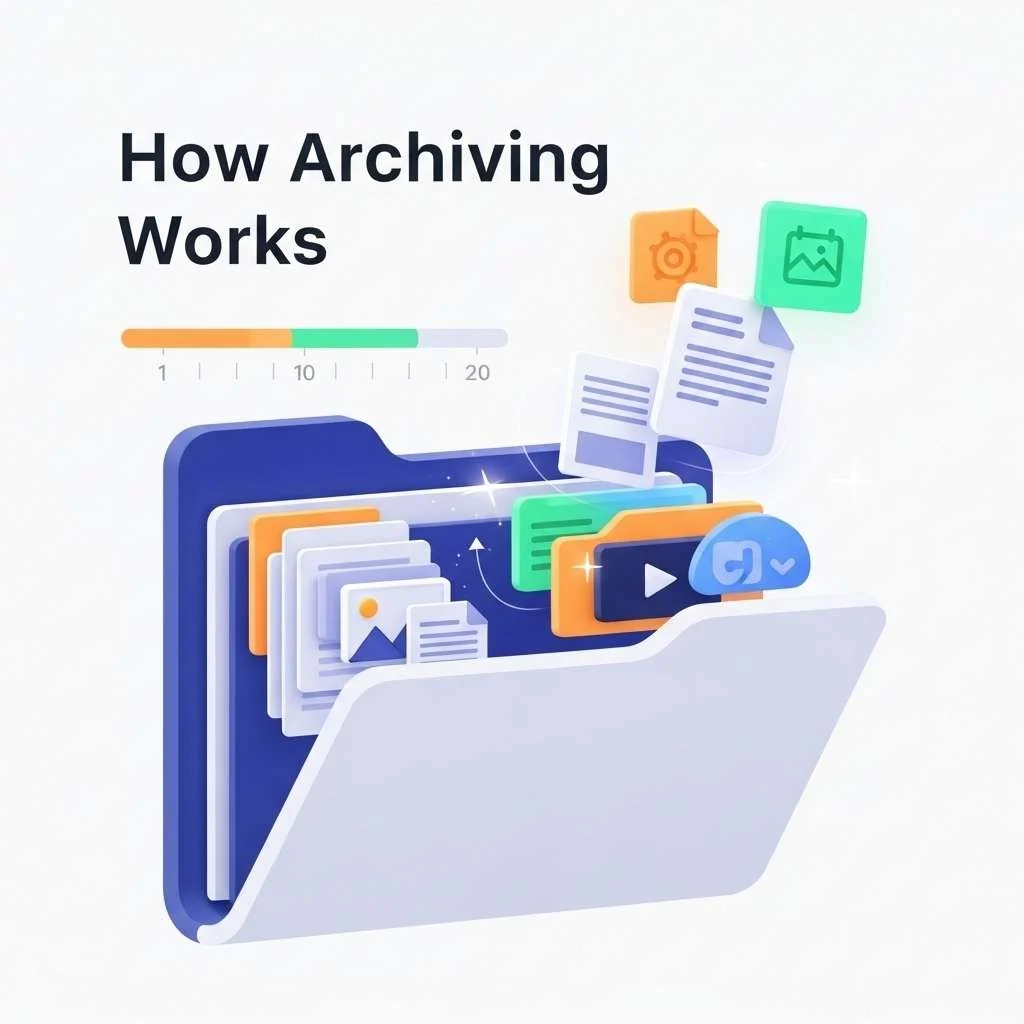
Archiving follows a simple process.
Step 1: Data becomes inactive
Files are no longer used frequently.
Step 2: System moves data
The system transfers data to archive storage.
Step 3: Data remains preserved
The archive protects data safely.
Step 4: Data remains accessible
You can retrieve archived data anytime.
Common Examples of Archived Items
Many types of information can be archived.
Examples include:
- Emails
- Documents
- Photos
- Videos
- Chat messages
- Research papers
- Legal records
Organizations archive millions of files daily.
Archive Meaning in Different Contexts
Archive meaning changes slightly depending on context.
Archive Meaning in Email
Archived emails remain stored but hidden from inbox.
This helps organize email storage.
Archive Meaning in WhatsApp and Chat Apps
Archived chats remain saved but hidden.
Users can restore chats anytime.
Archive Meaning in Computer Storage
Archived files move to archive folders.
They remain safe and accessible.
Archive Meaning in Libraries and Research
Libraries archive historical documents.
Researchers use archives to study history.
Archive Meaning in Government Records
Governments archive official records.
These archives preserve national history.
Synonyms and Related Words of Archive
Several words relate to archive meaning.
Common archive synonyms:
- Repository
- Backup
- Storage
- Database
- Collection
- Records
- Library
Differences between related terms
| Term | Meaning |
| Repository | Storage location |
| Backup | Copy of data |
| Database | Organized data system |
| Storage | General data saving |
Archive specifically refers to long-term preservation.
Characteristics of an Archive
Archives have several important features.
Key characteristics:
- Secure
- Organized
- Protected
- Accessible
- Preserved long-term
Archives ensure valuable information stays safe.
How to Archive Files

Archiving files is easy.
On Computer
- Right-click file
- Select archive option
- Move to archive folder
On Phone
- Open file or chat
- Select archive option
- File moves to archive
In Email
- Select email
- Click archive button
- Email moves to archive folder
In Cloud Storage
- Select file
- Choose archive option
- File moves to cloud archive
Quick Diagram | How Archiving Works
Active Files → Less Used → Archive System → Secure Storage → Future Access
This process protects information while freeing active storage.
Archive Meaning in Simple Words
Archive means storing something safely so you can use it later.
Think of archive like a storage room in your house.
You don’t use everything daily. However, you keep important items safe.
Similarly, archiving protects digital information.
Important Facts About Archiving
Here are useful facts:
- Organizations archive data for decades
- Governments archive historical records permanently
- Businesses archive financial records for legal compliance
- Cloud archive systems store billions of files
Archiving protects valuable information worldwide.
Benefits of Archiving
Archiving provides many advantages.
Major benefits:
- Improves organization
- Protects data
- Saves storage space
- Supports legal compliance
- Preserves historical records
Archiving makes data management efficient.
(FAQs) About Archived Items
What does it mean if something is archived?
When something is archived, it means it has been moved to a separate storage location for safekeeping. It is not deleted. Archiving helps organize your content by removing it from your main view while keeping it accessible whenever you need it.
Does archive mean save or delete?
Archive means save, not delete.
- Archiving removes the item from your main screen (like your inbox or chat list).
- The item stays stored safely in your account.
- You can restore or view it anytime.
Deleting, on the other hand, usually removes the item permanently (or sends it to trash before permanent removal).
What does “archive” mean on your phone?
On your phone, archiving usually means hiding messages, emails, photos, or files without deleting them.
For example:
- Archived emails leave your inbox but remain saved.
- Archived chats disappear from your main chat list.
- Archived photos move to a separate archive folder.
This feature helps keep your phone organized and clutter-free.
What does it mean to archive my messages?
Archiving your messages means moving a conversation out of your main inbox or chat list without deleting it.
- The conversation stays saved.
- You can search for it anytime.
- You can unarchive it whenever you want.
- In some apps, new messages from that person may automatically bring the chat back to your main inbox.
In simple terms, archiving messages is a way to clean up your screen while keeping your conversations safe.
What does archive mean in simple words?
Archive means storing files safely so you can use them later. It protects information without deleting it.
Does archive delete files?
No. Archiving does not delete files. Archived files remain safe and accessible.
Where do archived files go?
Archived files move to a special archive folder or storage system.
Can archived files be restored?
Yes. You can restore archived files anytime.
Is archive the same as backup?
No. Archive stores inactive data long-term. Backup creates copies for recovery.
What does archive mean in email?
In email, archive means moving emails out of inbox while keeping them saved.
Conclusion
Archive meaning refers to storing important information safely for future use. Archives protect files, emails, and documents without deleting them. They help organize data, improve storage efficiency, and preserve valuable information.
Both individuals and organizations rely on archiving to manage data properly. Understanding archiving helps you protect and organize your digital and physical records effectively.
Discover More:
- Understanding What Does Ethnicity Mean? A Simple Explanation with Real Examples for 2026
- Discover What Does Emo Mean? Real Definition, Origin, Culture, Music and Identity Explained in 2026
- Know About What Does PR Mean? The Complete Breakdown of PR in Business, Social Media Sports & Everyday Life for 2026

Tyler Wells is an American author known for his captivating storytelling and thoughtful insights into modern life. With a natural talent for weaving words into meaningful narratives, he has built a strong connection with readers who appreciate both authenticity and imagination.
Over the years, Tyler has written several acclaimed books, including “Echoes of the Dawn” (a moving story about hope and new beginnings), “Whispers Between the Lines” (a heartfelt story exploring love, loss, and resilience), and “The Silent Hour” (a suspenseful drama that keeps readers turning pages late into the night). His works blend emotional depth with relatable characters, making them both timeless and relevant for today’s audience.
Beyond writing, Tyler enjoys sharing his thoughts on creativity, personal growth, and the human experience. Whether through his books or his articles, he inspires readers to look at life from new perspectives and embrace their own stories with courage.